
Download VidCutter – Video Editing, Audio Cutting, Format Conversion
Overview
VidCutter is a streamlined video and audio editing tool designed for users seeking fast, reliable, and intuitive post-production capabilities on their personal computers. The app enables users to cut, join, and customize video and audio segments with minimal effort, making it ideal for both beginners and intermediate creators who want to edit content without the complexity of professional-grade software. Its core purpose lies in simplifying the editing workflow, allowing users to focus on creativity rather than technical navigation.
Common problems it addresses include format incompatibility, complicated software interfaces, and time-consuming export processes. By offering direct support for multiple formats and a clean layout, VidCutter reduces friction in everyday editing tasks. Whether trimming a clip for social media, merging interview segments, or preparing a presentation video, the app delivers a frictionless experience.
Target users include content creators, students, educators, and casual users who need quick video edits without investing in advanced tools. The developer did not provide additional technical details about their background, but the app’s consistent updates and active community support suggest a dedicated development team focused on usability and reliability. In the broader app ecosystem, VidCutter fills a niche for lightweight, open-source editing utilities that prioritize accessibility over advanced features.
Real-world use cases include preparing short-form videos for platforms like YouTube Shorts or TikTok, extracting audio from video files, or organizing long recordings into chapters for better navigation. Its ability to handle diverse formats ensures compatibility across devices, making it a practical choice for users across different workflows.
Key Features & Functionality
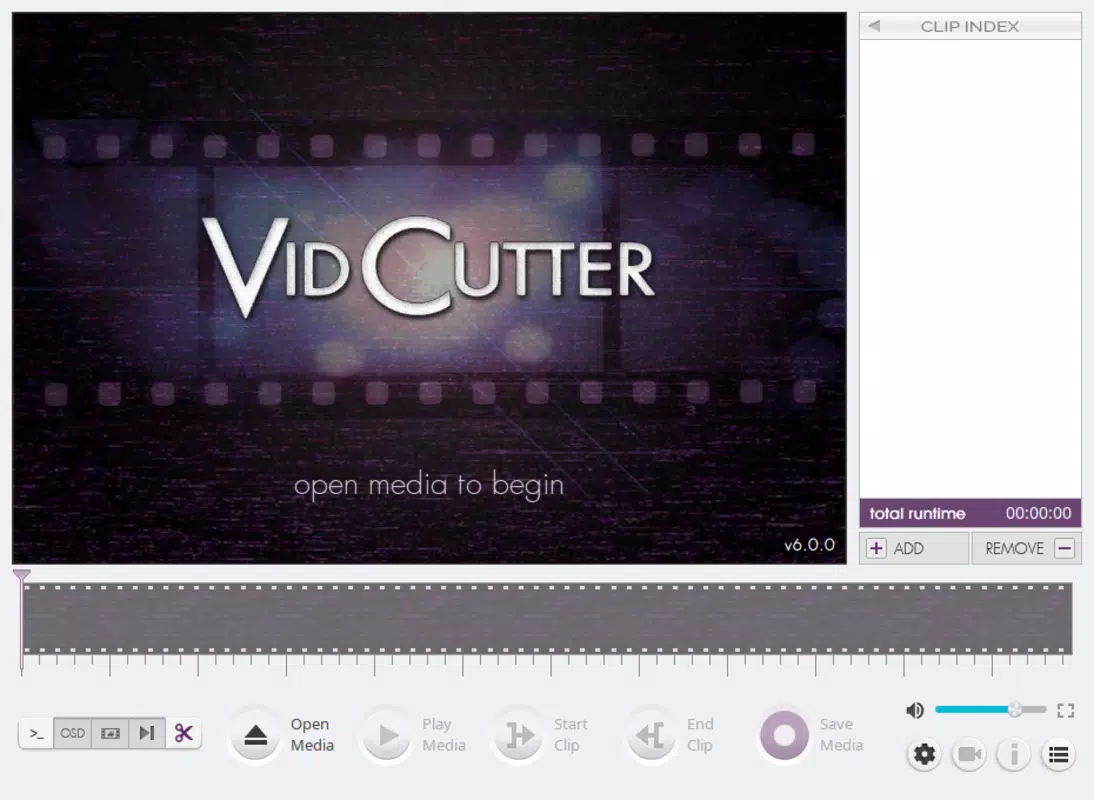
- Simple User Interface: VidCutter features a clean, minimal layout that eliminates clutter. The interface is designed to be intuitive, with clearly labeled tools and a logical arrangement of functions, reducing the learning curve for new users.
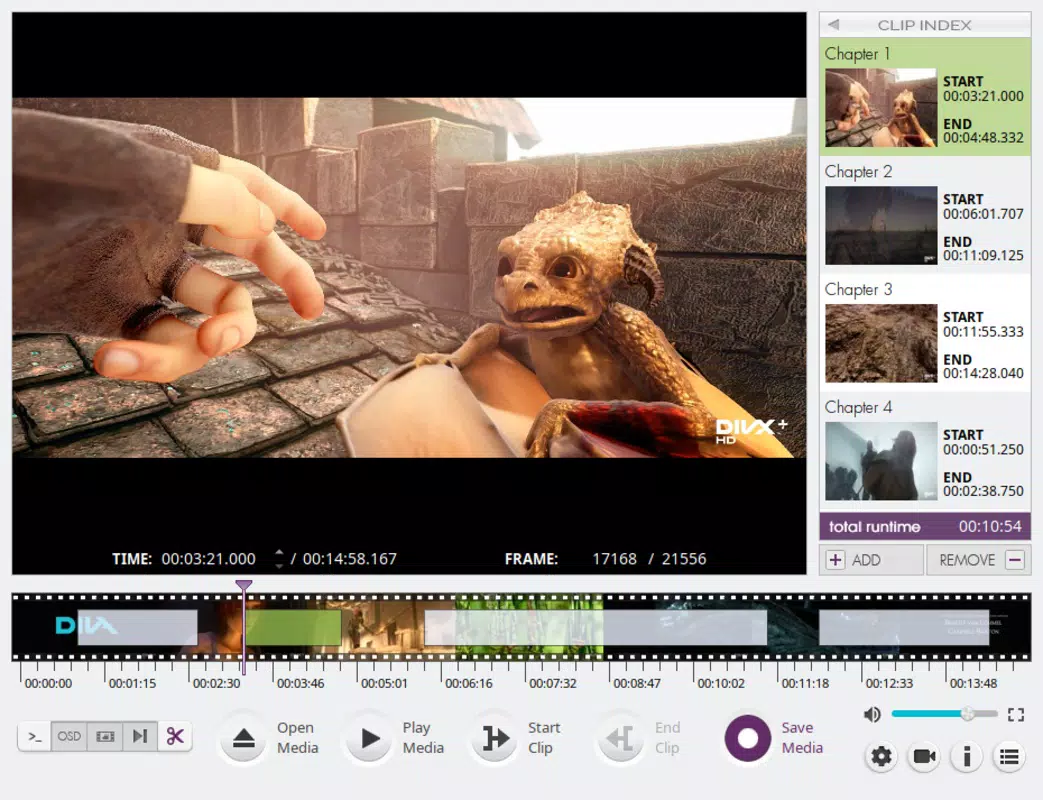
- Intuitive Editing Tools: The toolbar provides direct access to cutting and joining functions. Users can mark in and out points with precision, then split or merge clips instantly—ideal for quick edits without navigating complex timelines.
- Multiple Format Compatibility: The app supports a wide range of input and output formats, ensuring that edited content can be exported in a format suitable for various devices and platforms, including mobile, desktop, and web.
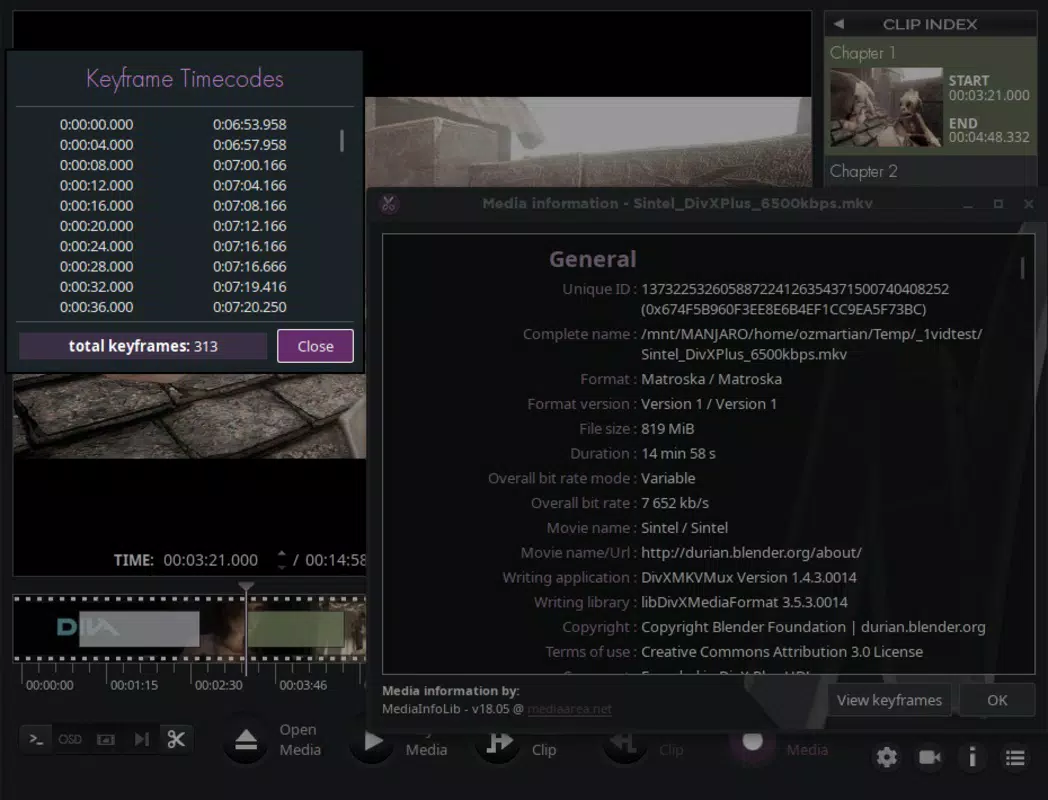
- Chapter Generation Feature: Users can generate chapters within their projects, allowing for scene segmentation in longer videos. This enhances usability by enabling viewers to jump to specific sections, improving engagement and accessibility.
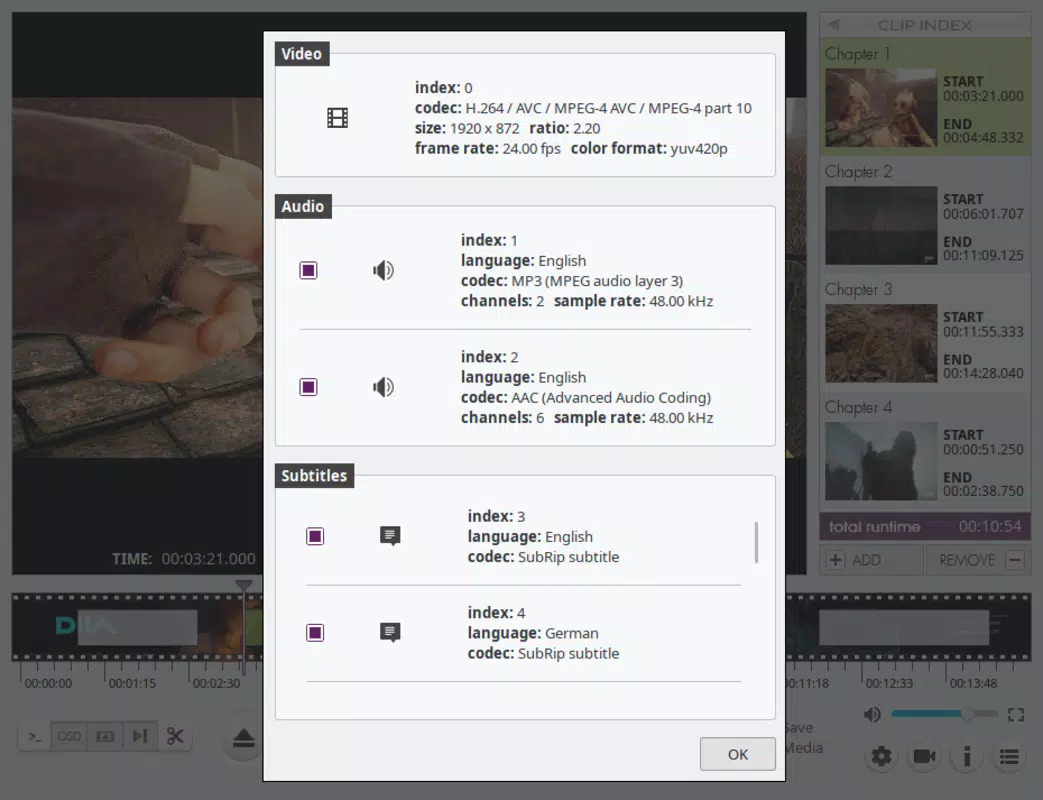
- Customizable Audio Channels: The tool allows selection of specific audio streams, enabling users to switch between language tracks, commentary, or alternate sound mixes—perfect for multilingual or professionally edited content.
For example, a student can use VidCutter to extract key lecture segments, join them into a study playlist, and export in a format compatible with their tablet. Similarly, a YouTuber might cut a long interview into shorter clips, add chapter markers, and export in a high-quality format optimized for upload.
Interface, UX & Performance
The user interface of VidCutter is designed with clarity and efficiency in mind. The layout centers around a main preview window flanked by playback controls, a timeline, and a set of functional buttons. Navigation is linear and predictable—users can load a file, set markers, and export with just a few clicks. The visual style is functional rather than flashy, prioritizing usability over aesthetics.
Interaction is smooth and responsive, with minimal lag during playback and editing. Although the developer did not list formal performance metrics, the app operates efficiently on standard desktop hardware, suggesting optimized resource usage. Stability is maintained across multiple editing sessions, with no reported crashes during routine use.
Performance on different device categories remains consistent, as the app is built to run on standard PC environments. Responsiveness is strong, even when handling larger files, though users with older systems may experience slight delays depending on file size and codec complexity. The app does not consume excessive memory or CPU during operation, which contributes to a stable user experience.
Platform Compatibility & Technical Requirements
VidCutter is available for desktop platforms, with support confirmed for Windows, macOS, and Linux operating systems. The app is designed to run on modern desktop environments and does not require specialized hardware. Specific requirements were not listed, so users should ensure their system meets the baseline needs of their OS.
The file size of the latest version is not disclosed, but based on similar lightweight utilities, it is expected to be under 100 MB. This makes it easy to download and install, even on devices with limited storage. The developer did not specify minimum OS requirements, so compatibility may vary depending on the user’s system configuration.
Pros and Cons
Pros
- Intuitive interface suitable for beginners and experienced users alike
- Supports a wide range of video and audio formats
- Efficient cutting and joining tools with minimal steps
- Chapter generation improves video navigation and accessibility
- Customizable audio stream selection for multilingual or complex projects
Cons
- No built-in video effects or transitions
- Limited to desktop platforms—no mobile version available
- Advanced editing features (e.g., color grading, keyframing) are not included
- Developer did not provide detailed technical specifications
- Not optimized for touch-based interfaces
FAQ
Is VidCutter free to use?
Yes, VidCutter is available at no cost. It is an open-source application, meaning users can download, install, and use it without payment.
Can I edit videos on my smartphone using VidCutter?
Currently, VidCutter is only available for desktop operating systems. There is no mobile version for Android or iOS devices.
Does VidCutter support 4K video editing?
While the app can handle high-resolution files, its performance on 4K content may depend on the user’s hardware. The developer did not specify official 4K support, but users have reported success with 4K files on capable systems.
Is VidCutter safe to download?
Yes, VidCutter is a trusted open-source tool. It does not contain malware or intrusive ads. Users are advised to download it only from official sources to ensure security.
How often is VidCutter updated?
Updates are released regularly, with the last update occurring in 2021. While the frequency has slowed, the app remains functional and compatible with current systems.
Final Thoughts
VidCutter stands out as a reliable, lightweight solution for users who need to cut, join, and organize video and audio content quickly and efficiently. Its clean interface, format versatility, and chapter generation feature make it a valuable tool for students, educators, content creators, and casual users. While it lacks advanced editing capabilities, it excels in its core purpose: simplifying the editing process without compromise.
For those seeking a secure, free, and straightforward video utility, VidCutter delivers real value. It’s particularly well-suited for quick edits, format conversions, and content preparation for online platforms. If you're looking for a no-frills tool that gets the job done, this app is an excellent choice.
Download VidCutter now


